
FeatureJanuary 20, 2026
Category Time Limits: Smarter Screen Time
Why a single screen time limit doesn't work — and how category-based time limits encourage balanced viewing habits for kids.
Category Time Limits: Smarter Screen Time
"One hour of screen time" sounds reasonable. But here's the problem: it treats 30 minutes of Khan Academy the same as 30 minutes of unboxing videos. Not all screen time is created equal.
NestTube introduces category-based time limits — a smarter approach to screen time that encourages balanced viewing habits without punishing educational content.
The Problem with Flat Time Limits
Most parental control apps offer a single daily time limit for YouTube. Hit the limit, and YouTube is done for the day. Simple, right?
But consider this scenario:
Your child has a 1-hour daily YouTube limit. They spend 45 minutes watching Numberblocks (math education) and 15 minutes watching entertainment. Time's up. They want to watch one more educational video, but they can't — because the entertainment ate into their education time.
Flat time limits create a perverse incentive: kids maximize entertainment because all minutes are equal. Why watch something educational when the clock is ticking either way?
How Category Time Limits Work
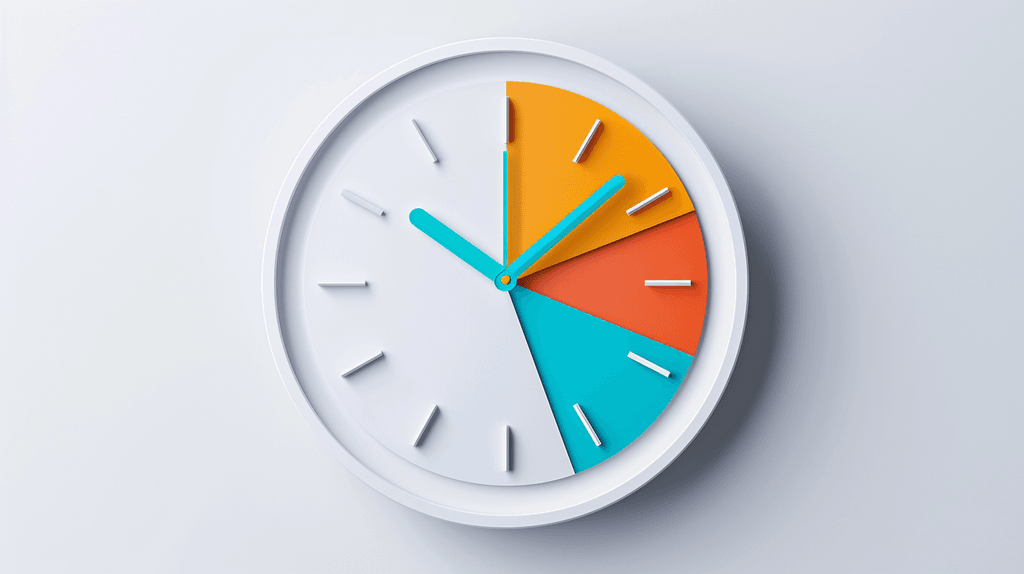
NestTube organizes whitelisted channels into categories: Education, Entertainment, Music, Gaming, Sports, Arts & Crafts, and more. Each category gets its own daily time limit.
Example configuration:
| Category | Daily Limit |
|---|---|
| Education | 2 hours |
| Entertainment | 45 minutes |
| Music | 30 minutes |
| Gaming | 30 minutes |
| Arts & Crafts | 1 hour |
What Happens When Time Runs Out
When a category's time limit is reached:
- Channels in that category disappear from the child's feed
- A friendly message explains that the category is done for the day
- Channels in other categories remain available
- The limits reset the next day
This creates a natural flow: as entertainment time runs out, educational content is still available. Kids aren't locked out of YouTube entirely — they're guided toward more balanced viewing.
Setting Up Effective Time Limits
Start Generous, Then Adjust
Don't start with strict limits. Instead:
- Week 1: Set generous limits and observe how your child spends their time
- Week 2: Check the activity dashboard to see the actual distribution
- Week 3: Adjust limits based on what you learned
This data-driven approach avoids frustration and helps you find limits that work for your family. For a complete walkthrough of the initial setup, see our safe YouTube setup guide.
The "Education Stays Open" Approach
Many NestTube parents use this configuration:
- Education: No limit (or very generous, like 4 hours)
- Everything else: Moderate limits (30-60 minutes each)
This way, educational content is always available. When entertainment time runs out, the path of least resistance is learning.
Age-Appropriate Limits
Ages 3-5: Shorter sessions, more education
- Education: 1 hour
- Entertainment: 30 minutes
- Music: 20 minutes
Ages 6-9: Balanced approach
- Education: 2 hours
- Entertainment: 45 minutes
- Music: 30 minutes
- Gaming: 30 minutes
Ages 10-12: More autonomy
- Education: 3 hours
- Entertainment: 1 hour
- Music: 1 hour
- Gaming: 45 minutes
Weekend vs. Weekday
Consider setting different limits for weekdays and weekends. More entertainment time on Saturday, more structured viewing on school days.
Why This Approach Works
It Respects Learning
Cutting off a child in the middle of a science documentary because their "screen time" is up sends the wrong message. Category limits ensure educational content is never the casualty of entertainment excess.
It Builds Self-Regulation
When entertainment time runs out but education is still available, kids face a genuine choice: stop watching, or switch to something educational. Over time, this builds self-regulation skills.
It Reduces Conflict
"Your YouTube time is up" creates conflict. "Your entertainment time is up, but you can still watch your science channels" is much easier for kids to accept.
It Provides Data
NestTube's activity dashboard shows exactly how time is distributed across categories. This data helps you make informed decisions about adjustments, rather than guessing.
Common Concerns
"Won't my child just re-categorize channels?"
Children don't control channel categories — parents do. When you whitelist a channel, you assign its category. Kids can't change it.
"What if a channel spans multiple categories?"
Assign it to the category that best represents its primary content. A channel like "Art for Kids Hub" is clearly Arts & Crafts, even if some videos have educational elements. Need help picking channels? Browse our list of 50+ safe YouTube channels for kids.
"Is this too restrictive?"
Category time limits are more flexible than flat limits, not less. Your child gets more total screen time — it's just distributed more intentionally. Most families find that total viewing time actually stays similar; the quality improves.
Getting Started
Category time limits are available on NestTube Premium. Download NestTube on the App Store to set up smarter screen time for your family.
NestTube: Not all screen time is created equal.
Read Next


Keep your kids safe on YouTube
NestTube is available now on the App Store. Download it and take control of what your kids watch.